Release 9 · June 2026

Pick any date range.
All the way back to day one.

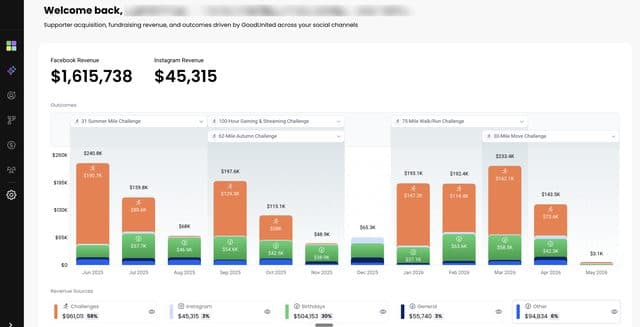
The Insights page now supports any date range you pick, and the underlying data is fully backfilled. Subscribers and revenue go all the way back to your first day with GoodUnited and Facebook.

gu-app.goodunited.io/insights

Filter by any date range, with subscribers and revenue visible from day one.

More from Insights

Two refinements that make the numbers easier to read and easier to trust.

Revenue Breakdown

See what's inside Other Sources.

Hover the eye icon next to Other category in the revenue breakdown to reveal every source, each with name, dollar amount, and percentage. The bucket you used to lump together now opens up.

Data Freshness

Know when revenue data was last updated.

Insights now shows a freshness label on revenue: today, yesterday, X days ago, or the exact date.
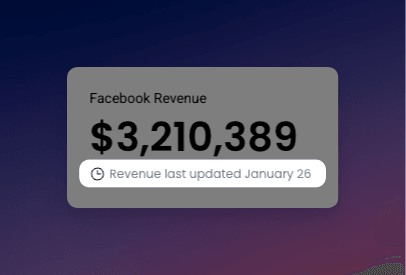
The revenue updated timestamp in Insights.

AI Recommended Actions

Two ways the recommendations, and the actions they trigger, now do more work for your nonprofit.

Smarter Recommendations

Improved Facebook post recommendations that turn comments into subscribers.

The content GoodUnited recommends is now optimized to spark comments - because more comments mean more conversations, and every conversation is a path to a new Messenger subscriber.

Three constraints sharpen every post: bodies cap at 400 characters, the call to action lands in the first 200, and no secondary asks compete for attention.
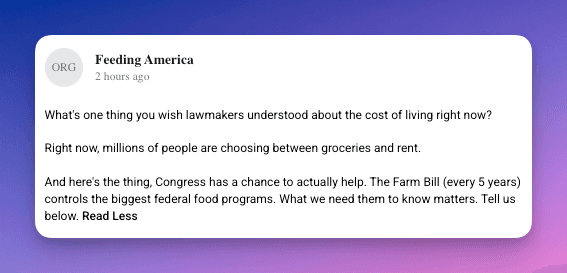
An optimized content recommendation in the AI Inbox.
Acquire

Launch a comment acquisition tool, right from the action.

Every content action now includes a journey section. The moment a recommended post is ready, you can launch a comment acquisition tool that captures everyone who comments and delivers them a Messenger journey of your choice.


Every dollar, every supporter, from the very first day.


One Last Thing

This release is about clarity. The Insights page now goes as far back as you have data with Meta and GoodUnited, and the recommendations sitting on top of it are sharper than ever.

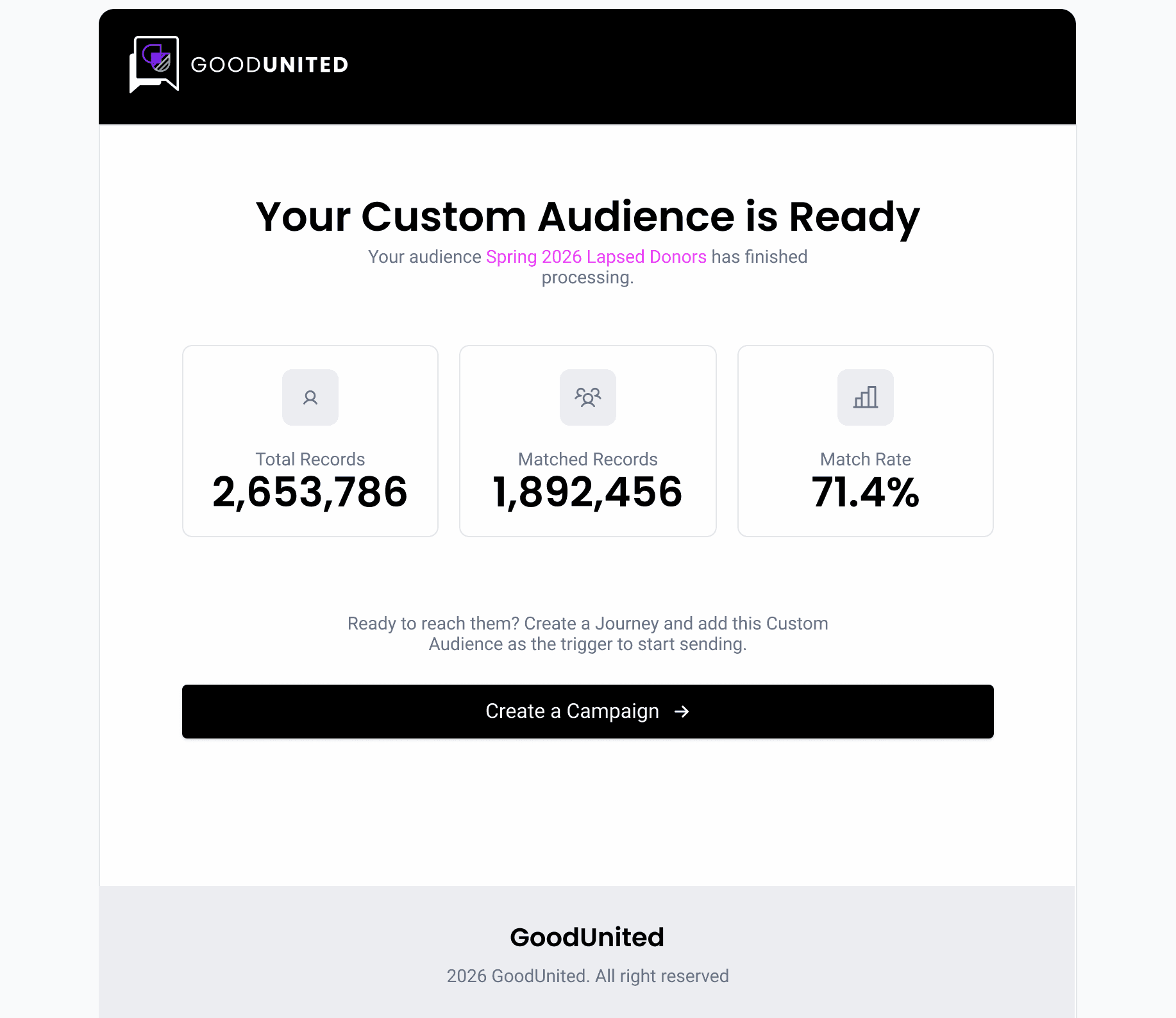
Coming next: your email list. We are working on a way to turn lapsed email subscribers into Messenger subscribers, so the supporters who once raised their hand can do it again. Stay tuned.

Jeremy
JeremyCo-Founder, GoodUnited
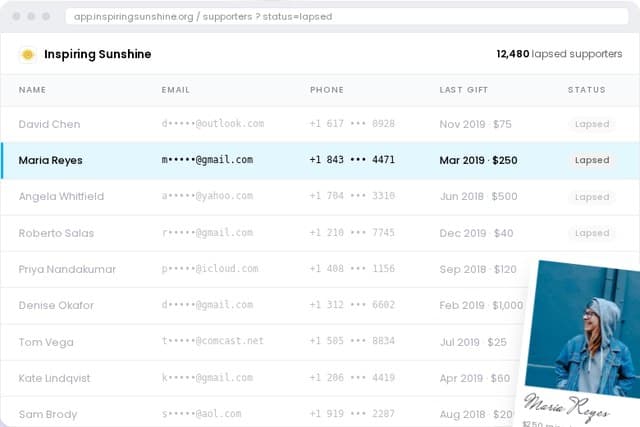
A coming-soon email to Messenger flow.

The rest of Release 9

Everything else that shipped this release.
Insights
ImprovedHover to see percentages. On the revenue bar chart, hovering any segment now toggles dollar amounts to percentages. When sources are hidden, the visible ones adjust so the total stays at 100%.
FixedSupporters page matches Insights. The Participated in Challenge filter on the Supporters page now matches what Insights shows, giving a consistent view of challenge participants.
Journey Actions
NewExport to Journey Builder. Super Admins can now export an approved Journey Action directly into Journey Builder with one click. A modal lets you choose which tags and custom fields carry over; the journey is created automatically and the action moves to Launched once published. If a journey already exists, the button switches to View in Journey Builder.
NewSegments and Lists in Journey audiences. Journey Action audiences now show segment names alongside list filters, so you can see exactly who will receive the journey.
NewInsert nodes between existing nodes. Journey actions now support adding new nodes between existing ones, not only at the end.
ImprovedCleaner Journey exports. Exports now render with proper node spacing, making the flow easier to read and edit downstream.
ImprovedLong URLs scroll horizontally. URLs in action card buttons no longer overflow their containers; they scroll horizontally instead.
Content Actions
NewImprove with AI, everywhere. Submit feedback to regenerate content and journey outputs. The Improve with AI resubmission flow that worked for Fundraiser pages is now available across all action types.
FixedFacebook post preview link in Acquire. After publishing a Content action, the Facebook post preview (eye icon) is back in the Acquire section and links to the live post.
Audience & Filters
ImprovedAudience filters cleaned up. Action card filters now show the right operators for each data type, match the Supporters page, and handle custom field inputs consistently. Tooltips, ID-vs-name display, missing filter options (Stay Involved, date selector), and a confusing hover-only category selection are all resolved.
Outcomes & Action Inbox
NewMulti-select Assigned To. Actions can now be assigned to more than one teammate at once, with email notifications sent to every assignee when status changes.
ImprovedSupporter Identities. The Segments page is renamed to Supporter Identities, with consistent naming across the page, actions, and onboarding.
FixedDeselected outcome inbox grouping. Actions linked to a deselected outcome no longer appear in the inbox grouped under that outcome with an empty field.
FixedFundraiser status sync. Approving a Fundraiser as a Nonprofit Admin now shows Launched for all user roles. Super Admins no longer see Approved for Nonprofit.
Comments & Activity Timeline
ImprovedJourney edits show what changed. Activity Timeline entries for Journey Action edits used to say Updated message in journey. They now show field-specific copy for message content, button, and delay updates.
ImprovedAI changes labeled. AI-driven changes (text generation, image generation, journey creation) are now logged with a clear AI label.
ImprovedActivity tracking starts at approval. The timeline tracks changes after an action reaches Approved for Nonprofit, filtering out pre-approval noise.
ImprovedCleaner comment display. Comments in the All tab show a Comment descriptor and display text only when expanded.
ImprovedJourney modifications logged. Adding or deleting nodes and editing message-node content in a Journey action now creates Activity Timeline entries.
NewEditable comments. You can now edit comments after posting.
NewUser avatar in comment input. A user initial icon now sits next to the comment input, making clear who is writing.
ImprovedAuto-expanding comment boxes. Comment input fields grow automatically as you type, so longer notes are easier to write and review.
FixedComments in chronological order. Comments now display oldest-to-newest, matching the natural conversation order.
Email Notifications
NewEmail engagement metrics captured. Transactional email events (sends, deliveries, bounces, complaints, opens, clicks) are now captured, giving full visibility into notification delivery and sender reputation.
FixedBuilding in Progress notifications. When an action transitions to Building in Progress, the notification email to assigned users now sends as expected.
FixedEmail logo restored. Nonprofit and Super Admin email notifications now render the correct GoodUnited logo.
Analytics
NewAmplitude across AI features. Full instrumentation is live across onboarding, Segments, Outcomes, and the Recommended Actions inbox. 25 events, tied to specific nonprofits via Group Analytics, so org-level reporting on AI adoption is now possible.
NewScheduled post date tracked. When a content action is scheduled rather than published live, the scheduled datetime is captured in the publish event for accurate reporting.
NewUser and organization properties. User properties (role, signup date, onboarding completion) and org-level properties (org ID, active features, segment and outcome counts) are now captured, enabling cohort and org-level benchmarking.
Platform & UX Polish
ImprovedSkeleton loading on supporter profiles. Supporter profile sidebars show a skeleton state while data fetches, replacing the blank screen or spinner.
ImprovedOnboarding review redesigned. The Review Your Setup step follows a clean 3-step flow; editing happens via the Edit button, removing the confusing disabled fields and incorrect file upload UI.
ImprovedGlobal Admin search. A single search input lets Super Admins search across Grouping, Sub-grouping, and Filter at once.
FixedDefault reply rate-limit. The nonprofit default reply now sends at most once per 24-hour window when a supporter messages outside an active journey. The multi-fire bug that was sending it multiple times within minutes is resolved.

Past Issues

See all issues